
3D websites people explore,
pages Google still reads
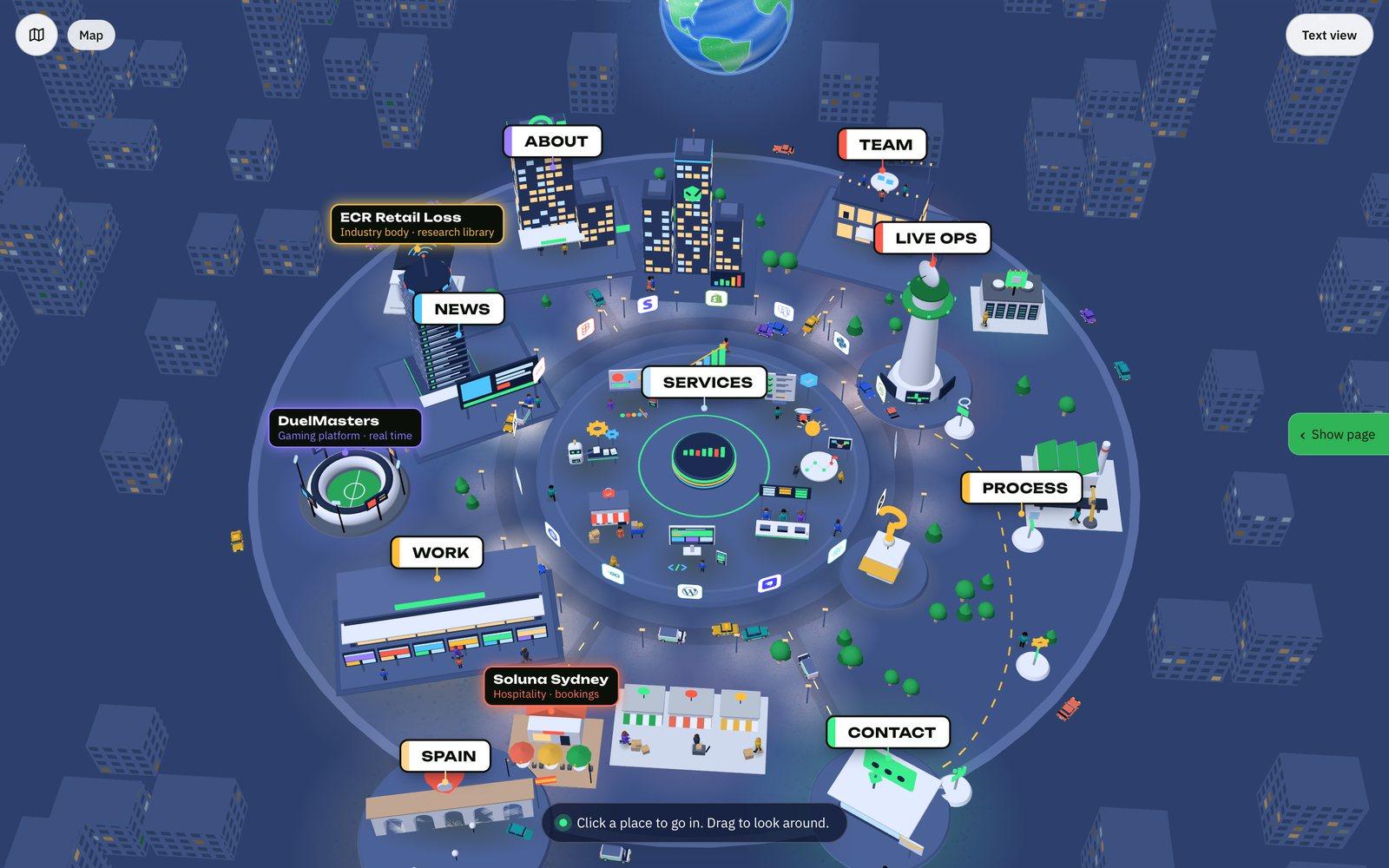
Smart-UI builds 3D websites: the visitor moves through a real-time scene in the browser, and every page underneath stays ordinary server-rendered HTML. On smart-ai.es, 60 pages in two languages are a night city to fly through, and all 60 were identical to the previous release for a crawler on launch day. The 3D layer loads after the page, adapts to the device, and steps aside where WebGL is missing.
Built with Three.js, React Three Fiber and Next.js. Checked in Chromium and WebKit engines at desktop and phone sizes, with no layout shift in either.
What does Smart-UI build in 3D for the web?
Smart-UI builds 3D websites: sites where the visitor moves through a real-time scene rendered in the browser with Three.js and WebGL, while every page stays ordinary server-rendered HTML for search engines and AI assistants. The 3D layer loads after the page, so the text, links and metadata a crawler reads are the same with or without it.
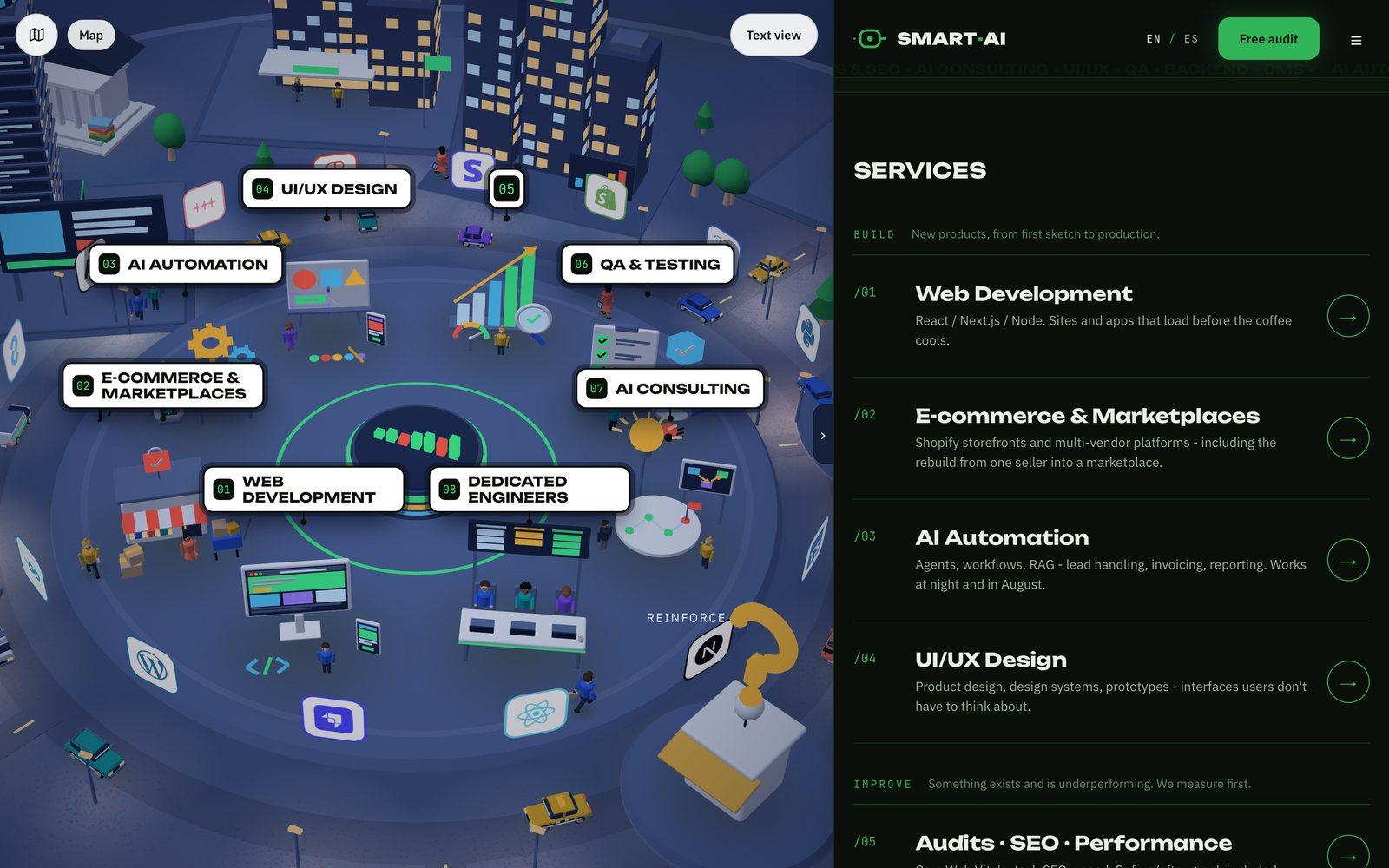
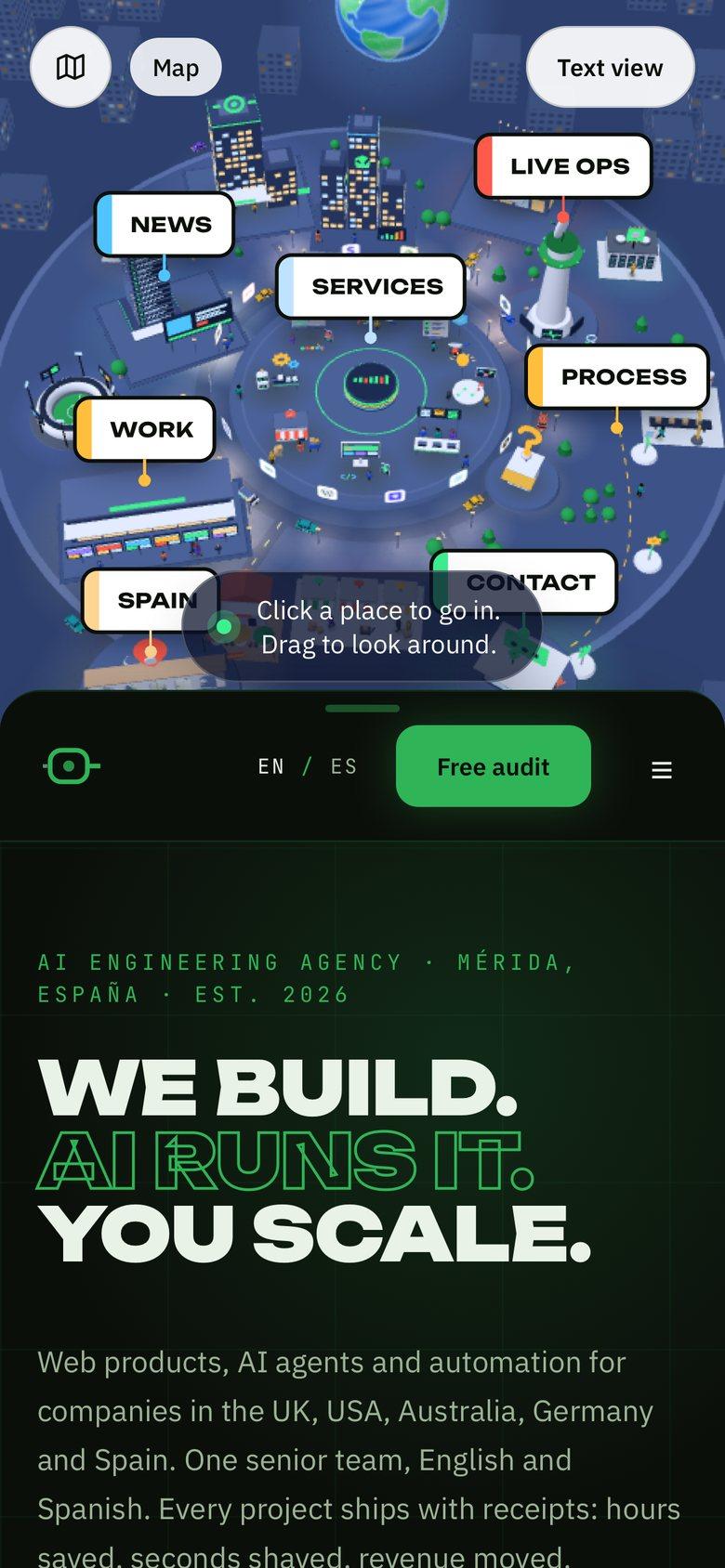
The reference build is smart-ai.es, the site of Smart-AI, the AI engineering subsidiary of Smart-UI in Mérida. Its 60 pages in English and Spanish are navigated as a night city: sections are buildings, a click flies the camera into one, and the page opens beside the scene. At launch on 23 November 2026 all 60 pages were compared with the previous production release and were identical outside the 3D layer.
The 3D code on that site is about 244 KB gzipped and is fetched only after the page has loaded, each scene adds 4 to 15 KB, and the layout shift is 0. Lighthouse on mobile settings scored the live site 100 for SEO and 100 for accessibility, with a performance score of 88 to 90. A visitor without WebGL 2 or without JavaScript gets the plain pages, and a Text view button switches the world off at any time.
The first production release of that world took 4 days from a written specification, added on top of an existing site without changing a URL.
| Engagement models | Fixed price against a written scope, as a new site or a 3D layer over an existing one |
|---|---|
| Typical duration | Scoped per project. The smart-ai.es world reached production 4 days after its specification |
| Team shape | Front-end and WebGL engineers, designer, QA |
| Stack | Three.js, React Three Fiber, WebGL 2, GLSL shaders, Next.js, React, TypeScript |
| Markets served | United Kingdom, United States, Australia, European Union |
smart-ai.es: a 60-page site you fly through
Smart-AI is the AI engineering subsidiary of Smart-UI in Mérida. Its site already ranked and already converted, so the brief had one hard rule: add a world to it and change nothing a search engine reads. The result is a night city where About, Work, News, Team and eight services are places, and the existing pages open inside it.

- 60 of 60pages identical for a crawlerText, links, titles and structured data compared with the release before the 3D layer existed.
- 244 KBof 3D code, gzippedFetched only after the page has loaded and the browser is idle. A scene adds 4 to 15 KB.
- 0layout shiftWorld or plain view is decided before first paint, so nothing moves when the scene arrives.
- 120draw calls at most per sceneA written budget. The busiest view, the city map, sits at 115.
- 100Lighthouse SEO and accessibilityOn the live site with mobile settings, alongside a performance score of 88 to 90 and a 2.6 s largest contentful paint.
- 4 daysfrom specification to productionAdded on top of an existing site, without changing a URL or a line of its copy.
The page comes first
Each address is a server-rendered page with its own title, text, links and structured data. The scene is a layer mounted afterwards, so a crawler, an AI assistant and a visitor without JavaScript all get the same complete page.
Navigation is the 3D part
Sections are buildings, a click flies the camera into one, and the text opens beside the scene. Reading still happens in HTML, which is where it is comfortable, searchable and accessible.
The device sets the quality
A GPU check picks one of three quality levels, frames are drawn only when something changes, and the level drops if the frame rate does. Where WebGL 2 is missing, the plain site is served and nothing looks broken.
The visitor can leave the world
A Text view button turns the scene off and the choice is remembered. Every place in the scene is a real link with a visible focus ring, so the keyboard reaches all of it.
- Three.js
- React Three Fiber
- WebGL 2
- GLSL shaders
- Next.js 16
- React 19
- TypeScript
- Zustand
- detect-gpu
- Tailwind CSS
- Vercel
The city is geometry generated in code, with no model files to download, which is a large part of why the whole layer weighs about as much as one large photograph.
Open smart-ai.es and try itThe scene, and everything that makes it safe to ship
A scene that looks good in a showreel is the easy third of the work. The rest is what a marketing lead gets asked about a month after launch: rankings, speed on an ordinary phone, and whether everybody can still reach the content.
A site as a place
Navigation people remember, built over real pages
- Sections become places: buildings, rooms, islands, whatever suits the brand
- A click moves the camera there, and the page opens beside the scene
- Every label in the scene is a real link, so it works for a keyboard and a crawler
- Added to an existing site without changing its URLs, copy or metadata
- One dominant object per section, built from that section's real content
Products and spaces
Something to turn round instead of a gallery of photos
- Product viewers with rotation, zoom and annotated parts
- Configurators where colour, material and options change on the model
- Buildings, floors and venues shown as a model a visitor can walk
- Maps and routes drawn in 3D where geography is the point
- The configured state kept in the URL, so it can be shared and indexed
Camera and storytelling
Motion that answers the visitor, never a screensaver
- Scroll-driven sequences where the scene follows the text
- Camera flights between related pages, cut on an object so nothing pops
- Motion that runs once on arrival and then waits for the visitor
- Reduced motion respected in the interface round the scene
- An ending in the scene: the call to action as part of the world
SEO kept intact
The scene is a layer. The page is the product
- Server-rendered HTML for every address, with titles, headings and structured data
- The 3D layer mounted after load, so it never stands between a crawler and the text
- A page-by-page comparison of the HTML before and after, run before every release
- Canonicals, hreflang, sitemap and robots left exactly as they were
- Readable by AI assistants, which read the HTML and never see the canvas
Performance budgets
Written down before the first object is drawn
- A size limit for the 3D code and for each scene, checked in the build
- A draw-call and triangle budget per scene, measured on every revision
- Scenes split into lazy chunks, so a visitor downloads only where they go
- Frames drawn on demand: a still scene costs the battery nothing
- Layout shift held at zero by deciding world or plain view before first paint
Phones and weak devices
Quality picked by the device, not by the designer's laptop
- GPU detection choosing a quality level on arrival
- Resolution and detail that step down when the frame rate does, and back up
- A phone layout of its own: the page as a sheet over the scene
- Touch targets sized for a thumb, tested at 390 px wide
- A recovery path when the browser drops the graphics context
Accessibility and fallbacks
Nobody is locked out of the content by the scene
- A text view one press away, remembered for the next visit
- The plain site served automatically where WebGL 2 is missing
- The complete page without JavaScript, because the page is HTML first
- Focus rings and keyboard order across every control in the world
- Contrast and labels checked on the overlay as on any other interface
Art built in code
Geometry and shaders instead of heavy model downloads
- Scenery generated procedurally and merged into a few meshes
- Custom GLSL shaders for light, glow and movement
- Instancing for crowds, traffic and anything repeated
- Imported models where a product needs to be exact, compressed for the web
- A style slice approved on one scene before the rest is built
Measurement and support
Knowing what the world does for the business
- Events for what visitors open, how far they go, and when they switch to text
- Consent respected: nothing is sent before the visitor agrees
- A switch that turns the world off in production and leaves every page as it was
- New scenes and seasonal changes after launch
- The same engineers, so the budgets are still understood a year later
How a 3D website gets built
Fixed price against a written scope. The existing site stays live and unchanged until the world is ready to sit on top of it.
- 01
Brief and scene concept
What the site has to do, who visits it, and what the world is: a city, a workshop, a product on a table. Written down as a specification with the pages that become places and the ones that stay plain, because a privacy policy does not need a building.
- 02
Budgets before art
Limits for the size of the 3D code, the weight of a scene, draw calls and layout shift, agreed before anything is drawn. Art made first and optimised later is how a 3D site ends up beautiful on one laptop.
- 03
Style slice
One finished scene on a staging address: the look, the camera, one section opened all the way. Nothing else is built until it is approved, which is far cheaper than discovering the style is wrong across twelve scenes.
- 04
Build, scene by scene
Each scene is its own lazy chunk with its own measurement: draw calls, triangles, frame rate, and a screenshot at desktop and phone width. Revisions are expected. A world is judged by eye, and the eye changes its mind.
- 05
Search comparison and device pass
Every page is compared with the live site: text, links, titles and structured data must match. Then the browsers and devices, the text view, the no-WebGL path and the keyboard.
- 06
Launch with a way back
The world ships behind a switch, so it can be turned off in minutes without touching the pages underneath. After launch: field performance watched, new scenes, and the changes a team asks for once it sees visitors using the thing.
Frequently Asked Questions
Not if the page comes first and the scene second. Search engines and AI assistants read HTML and never see a WebGL canvas, so a site that puts its content inside the scene has nothing to rank. We build every address as a server-rendered page with its own title, headings, links and structured data, and mount the 3D layer afterwards. On smart-ai.es all 60 pages were compared with the release before the 3D layer and were identical for a crawler, and Lighthouse scores the live site 100 for SEO.
It costs something, and the honest figure is main-thread time after the page has loaded, not download size. On smart-ai.es the 3D code is about 244 KB gzipped and loads only once the page is up, so the largest contentful paint is 2.6 seconds on Lighthouse mobile settings and the layout shift is 0. The scene picks a quality level from the GPU, lowers it if the frame rate drops, and draws a frame only when something changes, so a still scene does not drain a battery.
WebGL 2 has been in every major browser since Safari 15 in 2021, so current Chrome, Safari, Firefox and Edge all run it, on desktop and on phones. We checked smart-ai.es in the Chromium and WebKit engines at desktop and phone sizes with no errors and no layout shift. Where WebGL 2 is missing or switched off, the visitor gets the plain site automatically, and a pass on real devices is on the release checklist for every client build.
Yes, and that is how smart-ai.es was built. The world is a layer over the existing pages: no URL changed, no copy was rewritten, and the metadata stayed as it was. It ships behind a switch, so the plain site can be restored in minutes if anything needs to be reverted.
Not always. The city on smart-ai.es is geometry generated in code, with custom shaders for light and movement and no model files to download, which keeps the whole layer about the weight of one large photograph. Where a product has to be exact, such as a configurator, we work from your CAD or glTF models and compress them for the web.
The scene is navigation, and the content stays in HTML where a screen reader, a keyboard and browser search all work. Every place in the scene is a real link with a visible focus ring, a Text view button turns the world off and remembers the choice, and Lighthouse scores smart-ai.es 100 for accessibility. We treat the text view as a first-class version of the site, not an apology for the 3D one.
It depends on how many scenes there are and how detailed they must be, so we price against a written scope after a short review instead of quoting a number here. For scale: the first production release of the smart-ai.es world, covering a 60-page site in two languages, took 4 days from its specification. A product configurator with exact models is a different kind of project and is scoped separately.
From the blog
All articles3D websites in 2027: web design that keeps its SEO
A page of text and stock images is something anyone can generate in minutes. What a 3D website is, why it is affordable now, and how to keep SEO and speed.
What is a smart UI? Interfaces for AI that can be wrong
A smart UI, or intelligent user interface, adapts to the user and to what a model predicts. What the term means, what else shares the name, and six design patterns.